Speech to text

Practical comparison

Speech to Text vs Voice: Choose the Right Workflow

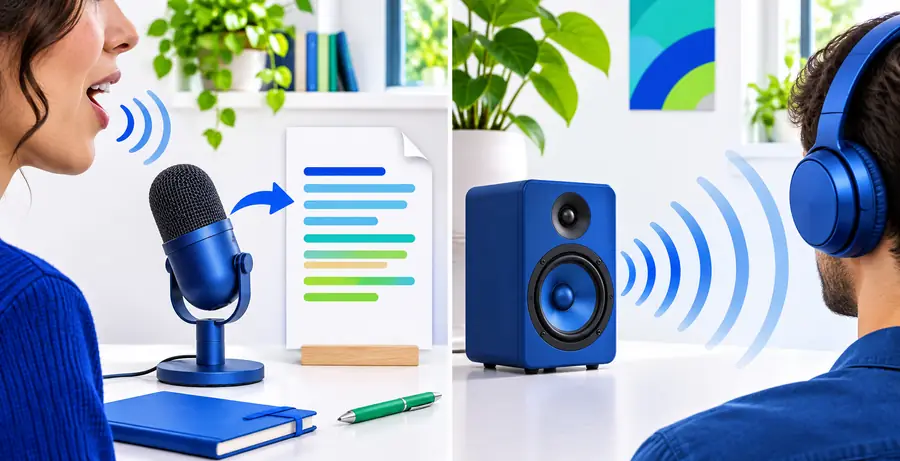
Speech to text vs voice is not always a true either-or decision. This guide compares typed transcription workflows with voice-first interaction so you can choose based on cost, quality, speed, and the way you actually work.

Where quality differs

Both methods can feel accurate in a short test and frustrating in a real workflow. The important distinction is where errors appear and how easy they are to correct.

Speech to text

Top pick

Best when spoken words need to become usable written content.

Works well

  • Creates a transcript that can be searched, copied, edited, and reviewed.
  • Keeps the speaker's wording visible instead of requiring a second memory step.
  • Works well for notes, interviews, lectures, drafts, and accessibility support.
  • Makes it easier to identify missing phrases or unclear sections after recording.

Trade-offs

  • Background noise, crosstalk, names, and technical vocabulary may require corrections.
  • A transcript can preserve filler words and false starts unless someone edits it.
  • Poor microphone placement can reduce accuracy before the software has any chance to help.

Voice interaction

Best when the goal is to act, ask, or respond without typing.

Works well

  • Allows hands-free commands, questions, brainstorming, and conversational follow-up.
  • Can feel faster for short requests that do not need a durable written record.
  • Supports situations where looking at a screen or using a keyboard is inconvenient.
  • Keeps the interaction natural when spoken feedback is more useful than visible text.

Trade-offs

  • Spoken responses can be harder to scan, quote, compare, or revisit later.
  • A voice exchange may still need transcription when the outcome becomes formal content.
  • Interruptions, turn-taking, and unclear pronunciation can affect the flow of a conversation.
  • Voice-first output is not automatically a polished document or accurate meeting record.

Total cost table

Cost is more than a subscription or a per-minute rate. Include the time spent preparing audio, correcting text, repeating requests, and turning an informal result into something your team can use.

Speech to text Voice interaction
Primary output Written transcript or draft that can be edited and stored. Spoken exchange, command, answer, or action.
Direct effort Speak once, then review the resulting text. Speak, listen, and sometimes repeat or clarify.
Editing cost Corrections focus on words, punctuation, names, and speakers. The conversation may need to be repeated or summarized afterward.
Review cost Text can be scanned for a phrase or section. Spoken output usually requires listening in sequence.
Record keeping Naturally creates a document for search, notes, or handoff. May require a separate recording or transcription step.
Hands-free use Useful while speaking, but often paired with later screen review. Strong fit for commands and responses without keyboard input.
Privacy considerations Audio and transcript handling both need review in sensitive settings. Spoken input and spoken output may still pass through external systems.
Best value signal It replaces typing or manual transcription and leaves reusable text. It removes friction from short, hands-free interactions.

Where time differs

The fastest option is the one that minimizes the whole task, not just the first spoken sentence. Choose according to what happens after the words are captured.

or

Option 1

You need notes, captions, an interview record, or a first draft.

Choose speech to text and plan a short review pass for names, punctuation, and unclear audio.

The output is already in the format needed for editing, searching, and sharing, so less work is postponed.

or

Option 2

You need a quick command, spoken answer, or hands-free interaction.

Choose voice interaction when a durable transcript is not part of the task.

The conversation can move directly from request to response without opening a document or formatting text.

or

Option 3

You are creating something important from a spoken conversation.

Use voice for the exchange, then add speech to text for the record and final edits.

The two workflows solve different timing problems: voice keeps the conversation moving while transcription preserves the result.

What the choice looks like in practice

These role-based examples show how the same spoken input can call for different outputs. The useful result is not simply more words; it is less work after the conversation ends.

Comparison of speech input and written transcript workflows Meeting notes

Project coordinator

Cross-functional team

“The transcript gives me a searchable record first, so I can turn decisions into tasks without replaying the entire meeting.”

Result

Less manual note-taking

Person speaking toward a phone during hands-free work Hands-free work

Field technician

Mobile work environment

“A spoken command is the right tool when my hands are occupied and I only need an immediate answer or action.”

Result

Fewer screen interactions

Student using speech input to create written work Accessible drafting

Student writer

Study and revision workflow

“Speaking the first draft removes the keyboard barrier, while the text version gives me something I can read, reorganize, and improve.”

Result

A reusable written draft

From spoken interaction to usable text

The difference is easiest to see in the final handoff: voice keeps an exchange moving, while speech to text turns the spoken material into something that can be searched and edited.

Spoken voice interaction before creating a written record Speech to text transcription ready for review and editing

Voice interaction

Drag the divider to compare the two workflows.

Written transcript

When switching is worth it

Switch when the friction in your current method is recurring, visible, and more expensive than learning a new workflow. A small trial with one repeated task can reveal the difference quickly.

Choose speech to text if you regularly type notes from recordings, lose details while listening, or need spoken ideas to become documents. Choose voice interaction if typing slows down short tasks, your hands are occupied, or spoken feedback is more useful than a written archive. Neither option wins every situation. The practical question is whether your work ends with text or with an action. If it ends with text, transcription usually reduces the number of handoffs. If it ends with an action, voice may remove unnecessary formatting and review. Many people get the best result by combining them: use voice for natural input and speech to text for the durable record. Test one real task, such as a meeting recap or a recurring mobile command, and compare the total time from first utterance to finished result.

  • Switch to speech to text when written output is the destination.
  • Switch to voice when hands-free interaction is the priority.
  • Combine both when conversation speed and written records are equally important.
Test your workflow

Comparison FAQ

These answers address the most common interpretation of the speech to text versus voice comparison.

Speech to text converts spoken language into written words that can be edited, searched, and saved. Voice usually describes a broader spoken interaction, such as giving a command, asking a question, or receiving an audio response.

Neither is universally better. Speech to text is usually better when you need a transcript, notes, captions, or a draft, while voice interaction is often better for quick hands-free actions and conversational responses.

Speech to text is often faster when the finished note must be written and searchable because it removes the manual typing step. You still need to review names, punctuation, and unclear phrases, especially when audio quality is poor.

Yes. You can use voice to keep a conversation or hands-free task moving, then use speech to text to create a durable record. This combined workflow is useful when speed matters during the interaction but written output matters afterward.

Microphone quality, background noise, accents, speaking pace, technical terms, and overlapping speakers can all affect the transcript. Clear audio and a short review pass usually make the final text much more useful.

Start voice typing
Start voice typing